Crew scheduling software that puts every crew on one board
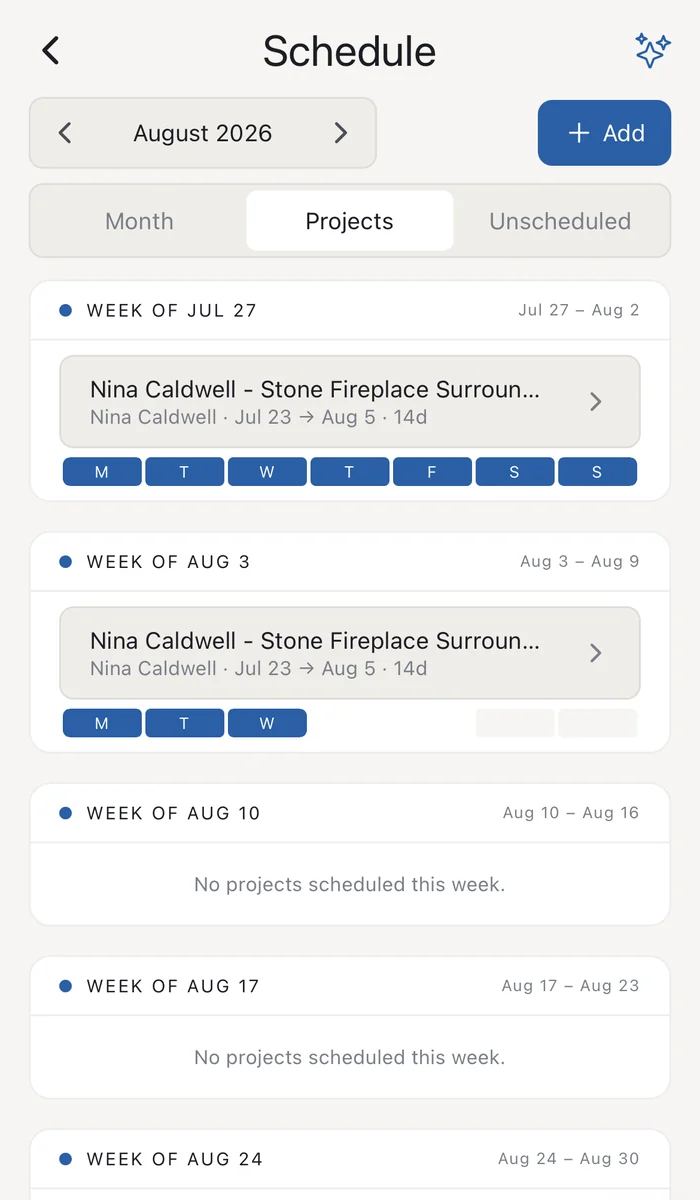
See every crew against every day, plan in half days, mark time off and holidays, and send each crew next week's schedule by text or email. Each crew's work order rides along with the schedule.
Crew scheduling software shows which crew is on which job each day and tells the crew; Supervisr's schedule is a crews-by-days board with half-day blocks, time off and company holidays, and it sends each crew next week's schedule by text or email.
| What it does | A crews-by-days board with half-day blocks, time off and holidays; sends each crew its week by text or email |
|---|---|
| Who it’s for | Specialty and residential contractors and their crews |
| Price from | $99 a month (Solo). Unlimited crew seats on every plan |
| Trial | 10 days free. A card is taken at checkout |
One board, every crew
- Crews by days, with half-day blocks.
- Time off and company holidays marked on the board, so you can see who is free.
- New jobs drop into place. A new job lands on the crew's next open half-day.
Your crew knows where to be
- Send next week. Text or email each crew its schedule for next week.
- Daily photo-link texts you can switch on. Crews on the schedule that day get a link to send their photos to the job.
- Work orders by link. No login, in English, Spanish or Portuguese.
- Crew members opt in before they receive texts. Crews who don't can get email.
Your calendar, too
Put your production schedule on Google Calendar, and pull sales appointments from the Google Calendar you already use onto the Sales schedule.
Questions contractors ask
Can my crews see the schedule without an app?
Yes. Each crew gets its work orders by link, with no login. Crews can also use the iPhone or Android app.
Does it work with Google Calendar?
Yes. Supervisr can create its own calendar in your Google Calendar with your scheduled jobs, and bring sales appointments in from a calendar you choose.
Does Supervisr have Gantt charts?
No. It uses a crews-by-days board, which fits specialty crews better than task dependencies. If you need Gantt charts today, Supervisr isn't the right fit.
Does it track crew hours?
Not today. Supervisr tracks crew pay per work order, not time clocks or timesheets.
Can crews read their work orders in Spanish?
Yes. Work-order links switch between English, Spanish and Portuguese.
How much does it cost?
Solo $99, Crew $199, Business $349 and Multi $599 a month. Every plan includes unlimited crew seats, and plans differ by monthly AI allotment. When you reach your limit, AI features pause until the next cycle. There are no overage bills. See plans →
More for contractors