Photos in —
Quality
out.
Supervisr runs the whole job for specialty contractors: bids from your price book, e-signature, work orders, crew scheduling, invoicing with online payments and job financials, with AI that checks your crew's jobsite photos against each trade's standards.
Try it on your own photos first.
3 free analyses. No signup, no card — see what it catches on your last job.
Run the whole job
The callback you never get.
Once the job's scope is signed, your crew's jobsite photos get read against the standards that trade actually works to. You find out what is wrong while the crew is still on site— not from the customer, when it's too late.
01 · THE CATCH
It reads what is in the frame.
Two reads off two jobs — possible fungal growth and moisture on sleepers that were already coming out, flagged so the slab gets dried before the new ones go in, and three consecutive rows of stacked end-joints on a hardwood run, checked against common end-joint stagger practice.
Both came out of a photo somebody was taking anyway. Fixing either one on the day costs a morning; fixing it after the walkthrough costs the job.
Finished work markets itself.
Job photos become post and reel drafts you approve, and the client report can ask for the review. Nothing goes out that you did not send.
02 · THE GROWTH
The before/after you already shot.(Beta)
The camera holds the original frame on screen as a ghost so the after shot lines up with it exactly. The pair becomes a reel you can talk over — your own face in a box you can drag anywhere in the frame.
Posts, reels and Google Business posts are drafted from the job's photos and wait for your approval. Nothing goes to your customers unless you send it.
03 · TIME-LAPSE
Leave a spare phone pointed at the job.
Set an old device up with the app, aim it at the room, pick an interval and walk away. It captures all day on its own — so you can see how the job is moving without being there to watch it.
And the day's captures are already sitting in the marketing studio. Turn them into posts and reels there: the work itself, sped up.
04 · THE REVIEW, ASKED FOR RIGHT
The ask rides on the good news.
The client report already shows the job total, what they have paid and what is left. Tick the destinations you want and the report ends with a button for each — Google, Facebook, Houzz.
Off by default, and sent from your own phone, your own number, in your own voice. Supervisr only follows up with your customers when you switch those follow-ups on. Asking the day the work looks its best is the whole trick, and this is the moment it happens.
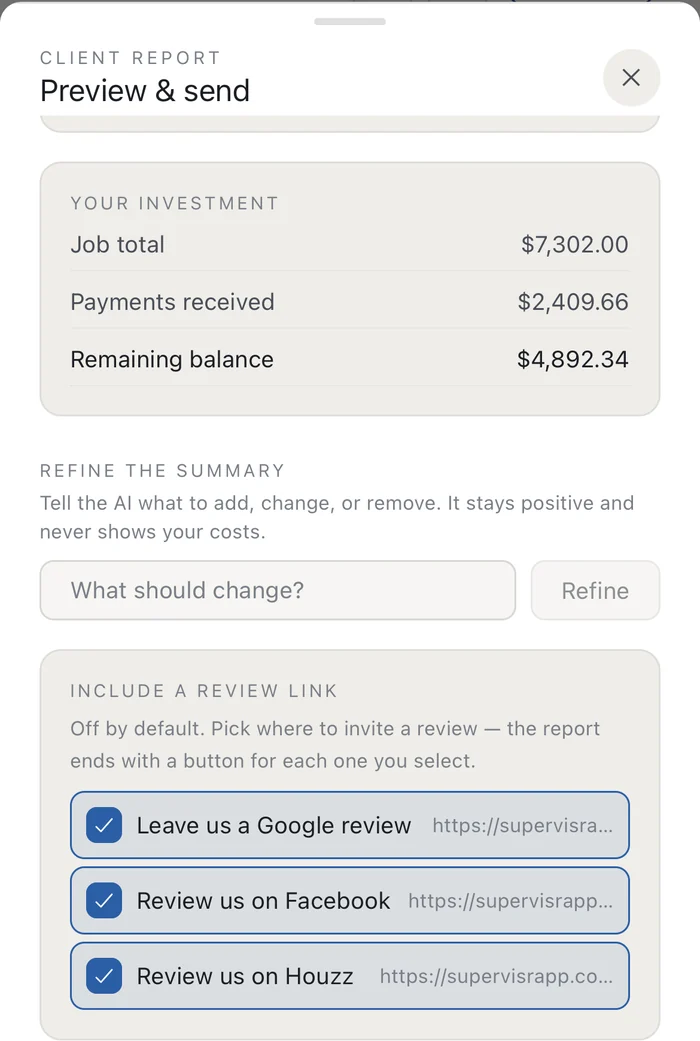 ✓ it never shows your costs
The evenings you get back.
The bid, the board, the receipts, the schedule, the crew texts, the work orders — all assembled out of the same photos and the same job record. Nothing is entered twice, and month-end stops being a Sunday.
05 · WALKTHROUGH → BID
Walkthrough to bid.
Type, paste or record what you covered at the walkthrough and Supervisr turns it into a consultation report you build the bid from. Then price it from your own price book.
Review the bid and change what you need before it goes out. Nothing is sent until you send it.
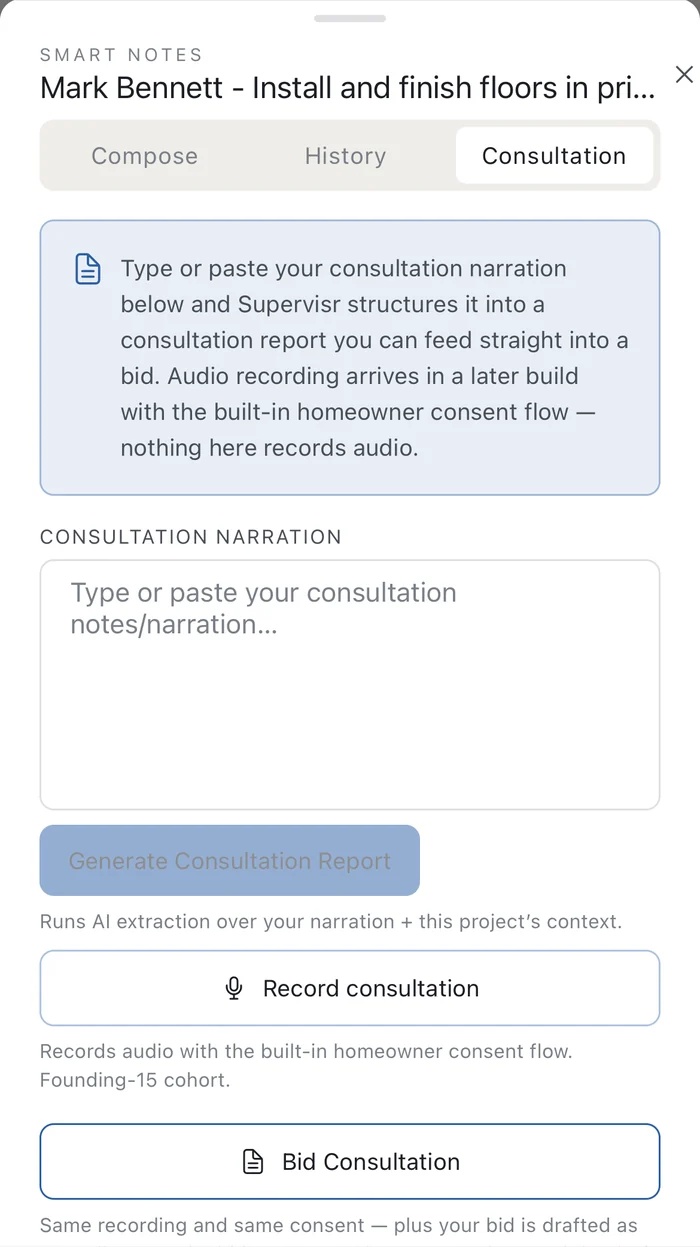 your notes · one report · your prices
06 · EVERY JOB, ONE BOARD
What is open, on which job, right now.
Open findings collect in one place instead of scattering across six text threads and two truck cabs. Every live job, its totals, its balance and what is still open on it — on one screen, before the first call of the day.
And when the banner says no open critical flags, that is a thing you can show a customer.
07 · CREW SHARE
Easy access for the whole crew.
You never pay extra for users — not for a crew, not for a foreman, not ever.
Your whole team can download and use the app and its capture features — but with the crew photo share link, even that isn't necessary. No more hounding your crew to take photos: we do it for you, by text message, with a unique project link for uploads straight from their camera roll. No app, no usernames, no password upkeep.
Set your schedule the way you already do. Supervisr texts each crew on the morning they are working: a reminder, plus an upload link scoped to that day's job. They tap it, the photos land on the right project, and QA runs on them. Switch it on once and Supervisr handles the rest.
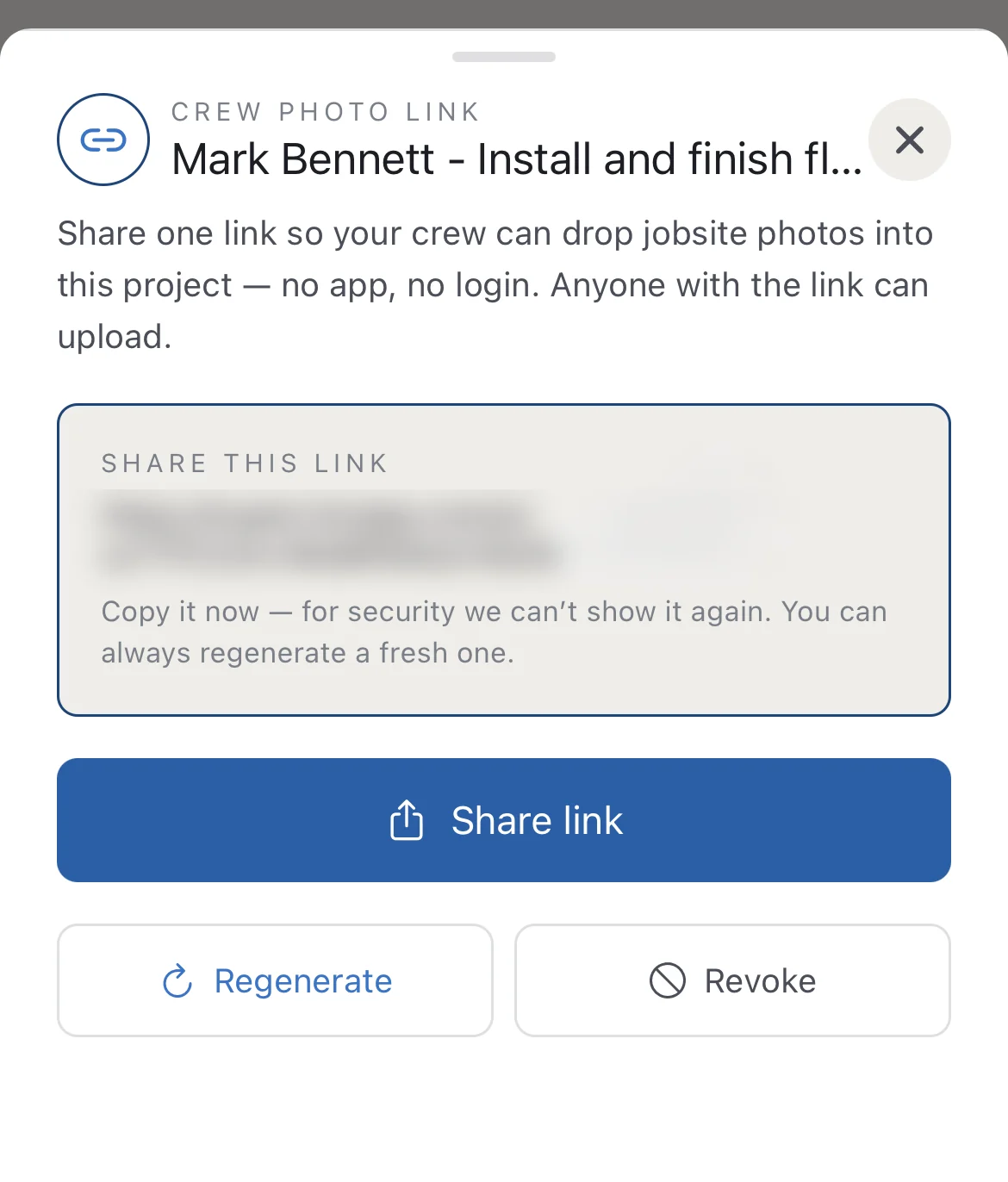 ✓ one link · one job · revocable
08 · RECEIPTS AND THE MONEY
Snap the receipt. That is the whole job.
No shoebox, no saving receipts for the weekend, no typing anything into anything. Photograph it and Supervisr reads the vendor, the date, the total and the line items off it, then files it against the job. Materials, crew labor, payments in and the projected margin move on their own.
Across the account: total contracted, paid in, spent and net, then the same three columns job by job. Excel export in exactly your paste format, so whatever you already do with the numbers still works.
And because it reads the line items and not just the total, the reporting goes somewhere a total never can: what you actually pay for the same material at each supplier you buy from, and how that price has moved — read out of your own receipts, job after job. From the same line items it forecasts the purchases a job still has coming, and projected margins and expenses feed straight back into the bid tool(Beta), so the next number you quote is priced off what this work actually costs you.
Then the part most jobsite apps skip. Because the QA runs on the same photos as the money, Supervisr tracks how each subcontractor and each field manager actually performs on quality — who gets flagged, on what, how often, and whether it is getting better.
And it reports across features rather than one silo at a time: QA, financials, scheduling and marketing in one platform, so a question like “which crew is costing me margin and callbacks” is one report instead of three exports and an afternoon. It sits in a deep reports library(Beta) that keeps growing.
09 · THE WEEK, BLOCKED OUT
Crews across days, at half-day resolution.
A multi-week job blocks out its working days across the weeks it actually runs, with unavailability and auto-stacking handled for you. Week by week, it is obvious what is committed and what is still open.
Which is the only question that matters when somebody calls at four o'clock asking whether you can start Monday. And this is the schedule Crew Share texts from.
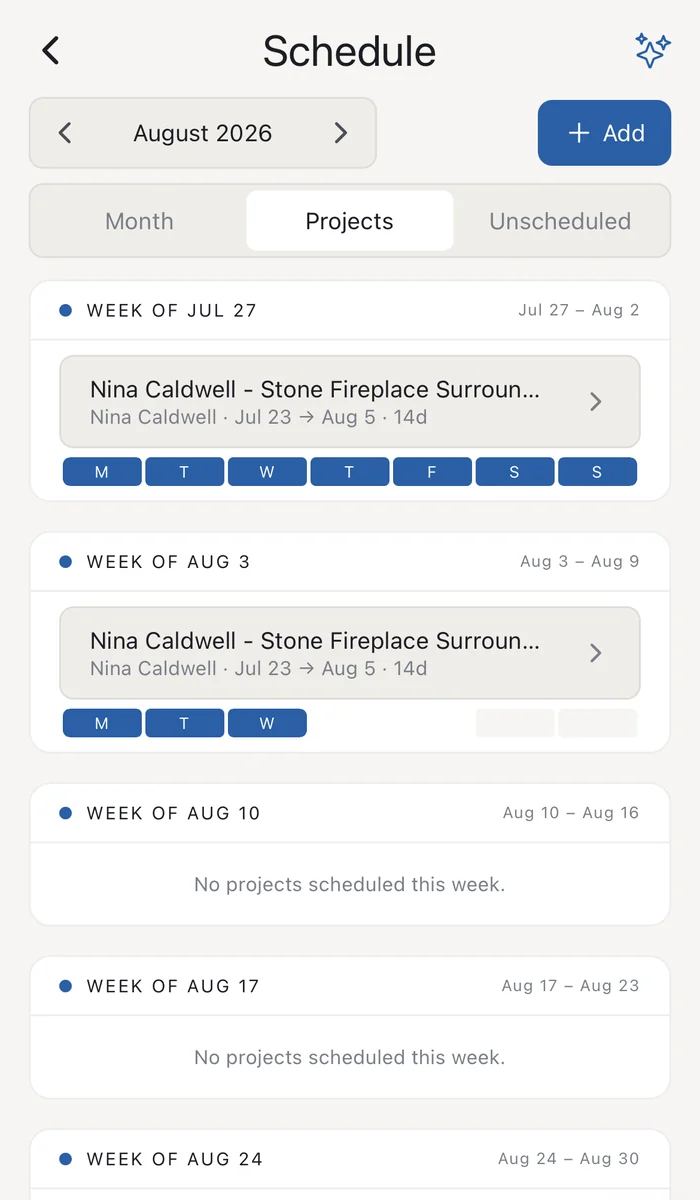 committed days · at a glance
10 · YOUR STANDARD, ON THE JOB
Leave standing instructions. It watches for them.
You cannot be on every job at once, so you tell Supervisr what you want watched on this one. “Make sure they use leveling clips on this tile.” “Watch for mold or rot once we remove the old shingles.” “Let me know when the crew starts applying paint.”
Type it from the truck, paste a clause out of the contract, or drop in a text thread. It saves as the job's watch-for— a standing instruction QA carries on the job's photos after that, so your standards are on the job even when you are on another one.
It can raise scrutiny on what you named. It can never hide or downgrade a flag, which is the only way a QA note is worth having.
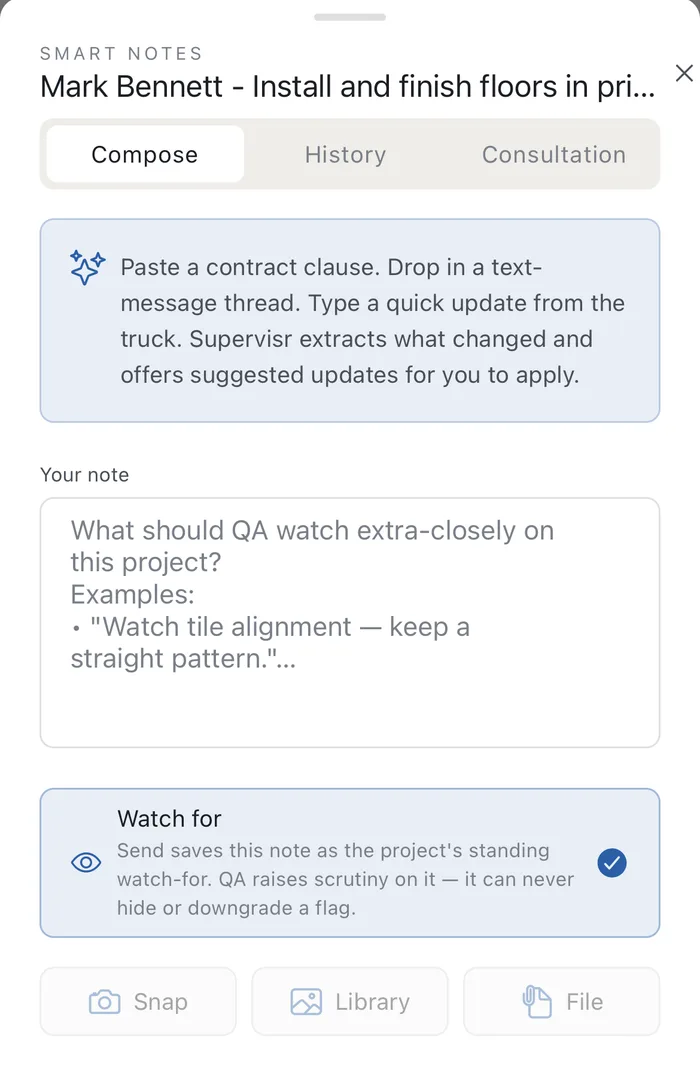 saved to the job · read with its photos
11 · THE PAPER TRAIL
A work order your crew can actually follow.(Beta)
Scope line by line, the scheduled start, the field rep, and the crew's pay for that order — issued on your letterhead, with the contract value and the pay terms sitting on the same page.
Quotes, change orders, POs and e-signatures run the same way. The job's paper trail assembles itself as the work happens instead of being reconstructed later.
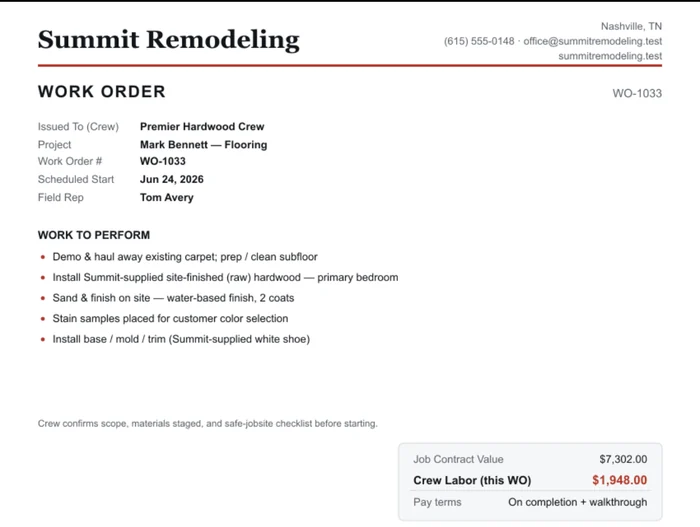 ✓ scope · pay · terms · one page
Both app stores.
Native apps for iPhone and Android — the camera, the flags, the projects and SLIC, in your pocket. One account either way: what happens on site is already there when you sit down at a browser.
12 · WHILE THE CREW IS STILL THERE
A critical flag at 9:40 is worth a hundred at Friday close.
The moment the analysis lands, the phone buzzes: no vapor barrier under an LVP floating floor on a bare slab. That is a two-hour fix this morning and a floor replacement in the spring.
Photos go straight onto the right job as they are taken, so nothing has to be sorted out of a camera roll on a Sunday. CompanyCam already? Connect it and bring your photos in, past and new.
 ⚑ critical · pushed on arrival
More for contractors
10-DAY FREE TRIAL · UNLIMITED CREW SEATS · FROM $99/MO