One camera roll.
Every check.
Supervisr runs the whole job: bids from your own price book, e-signature, change orders, work orders, crew scheduling, invoicing with online payments and job financials — and AI checks your crew's jobsite photos against each trade's standards once the job's scope is signed. A lighter version runs the free check on the homepage.
The job loop
AI photo QA.
Tile, flooring, drywall, roofing, bath, kitchen, decks, paint — trade-specific models read the photo and check the work against industry standards, not against a checklist somebody typed once. A lighter version of this runs in the free tool, and everything else on this page is built on top of it.
01 · READS THE FRAME
It reads the photo, not the caption.
The analysis is written against what is visible in the frame and says so — the finding, the standard behind it, and the fix. Critical issues are separated from things merely worth a note, so a real problem never arrives buried in a list of nitpicks.
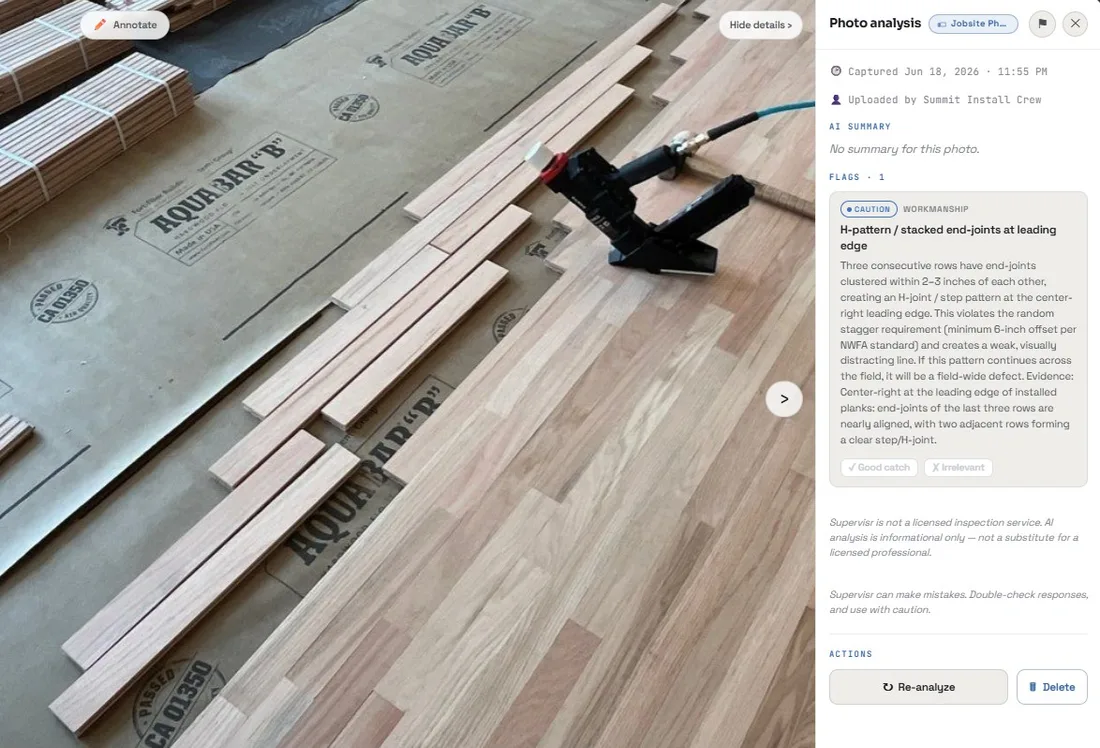 ⚑ one caution flag · hardwood install
02 · GRADED, NOT DUMPED
Flags versus notes.
Every finding is graded. A missing vapor barrier is a flag that stops a sign-off; a bit of debris to sweep is a note. Sensitivity is yours to set, so the same engine can run tight on a final walkthrough and loose mid-demo.
And each one names the problem, says why it matters, and quotes the evidence in the frame that produced it — no jargon wall, no score. Whoever reads it next can decide what to do without a translator.
03 · WHAT PEOPLE WALK PAST
The read that changes the job.
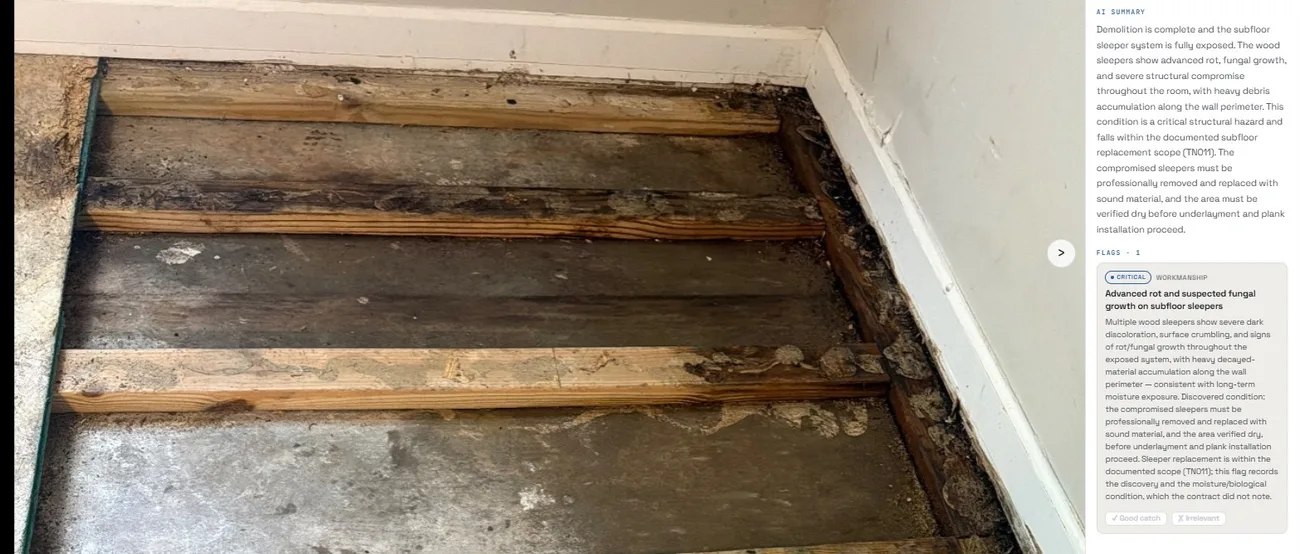
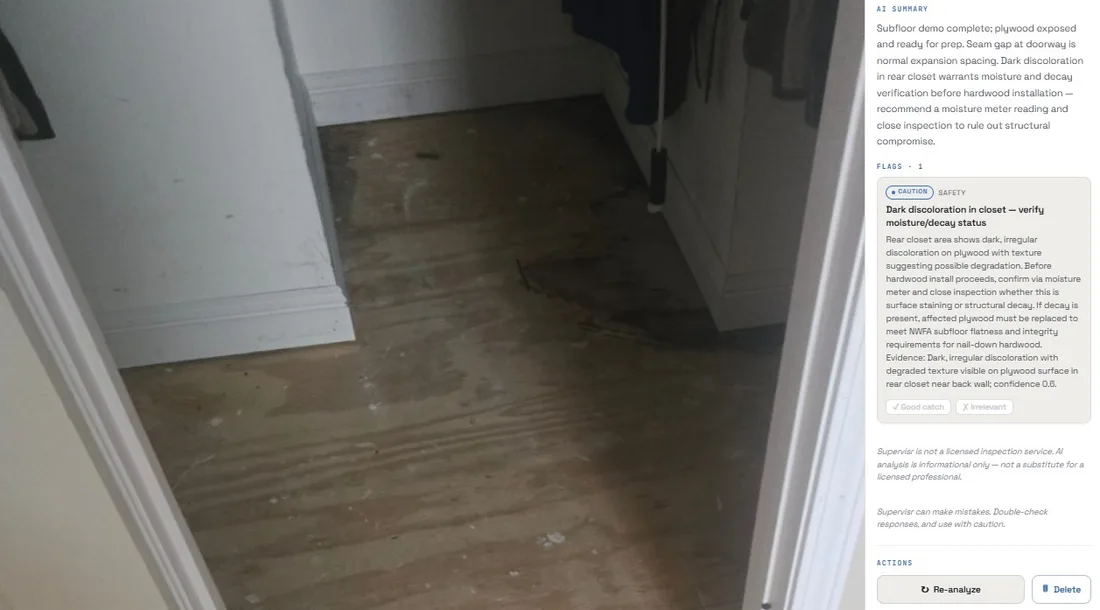
These are two reads off two jobs — possible fungal growth and moisture on sleepers that were already coming out, flagged so the slab gets dried before the new ones go in, and a dark patch of plywood that needed a moisture meter on it before anything went down on top.
Both were caught from a photo somebody was taking anyway, while the floor was still open.
04 · EVERY TRADE, ONE ACCOUNT
One account. Every trade on the job.
A bath remodel is tile, plumbing rough-in, waterproofing and paint in the same week. You do not pick a trade per account — the model routes to the right trade for the photo in front of it.
And open findings collect in one place instead of scattering across text threads — what is still outstanding, on which job, and how serious it is.
Being right is the whole product.
An AI that cries wolf is worse than no AI at all — one bad flag on a finished job and nobody opens the next report. So the pipeline is built to be hard to fool in both directions: it has to earn a flag, and it has to earn a pass.
A photo is screened first.
Before any trade analysis runs, the image is checked for quality, subject and confidence. A blurry shot of a truck bed does not get a grout opinion — it gets told it is not a usable photo.
Then the trade model, not a generalist.
Only photos that clear the gate reach the trade specialist, which is prompted against that trade's own body of standards rather than general knowledge about construction.
Every finding shows its work.
A finding names what in the frame produced it and which requirement it violates. That is what makes it reviewable — and what makes it obvious on the rare occasion it is wrong.
Graded, and tunable by you.
Critical, caution and note are distinct grades, and sensitivity is a setting. The engine adapts to your tolerance instead of asking you to adapt to its default.
It tells you when it is unsure.
Coverage notes say what the photos did not show, so a clean result is never mistaken for a complete inspection of a room nobody photographed.
It is not a licensed inspection.
Supervisr can make mistakes, and it says so on every result. It is a fast, informed second set of eyes — not a substitute for a professional inspection or a code-compliance review.
Ask instead of hunting.
01 · VOICE OR TEXT, ANYWHERE
One assistant across everything you have.
Ask what is open on a job, what a flag meant, what a project has cost, or have it draft the update — out loud from the truck, or typed at a desk.
It works from your data. It is not a search box bolted onto a help center; it reads the same projects, photos and reports you do — and the same assistant that tells you what is open can pull the report, draft the note, or set the thing up. You approve, it does it.
There is also one-shot Quick-QA: point the camera, take the shot, get the read, without creating a project first. For the moment on the ladder when you just need to know whether that is going to be a problem.
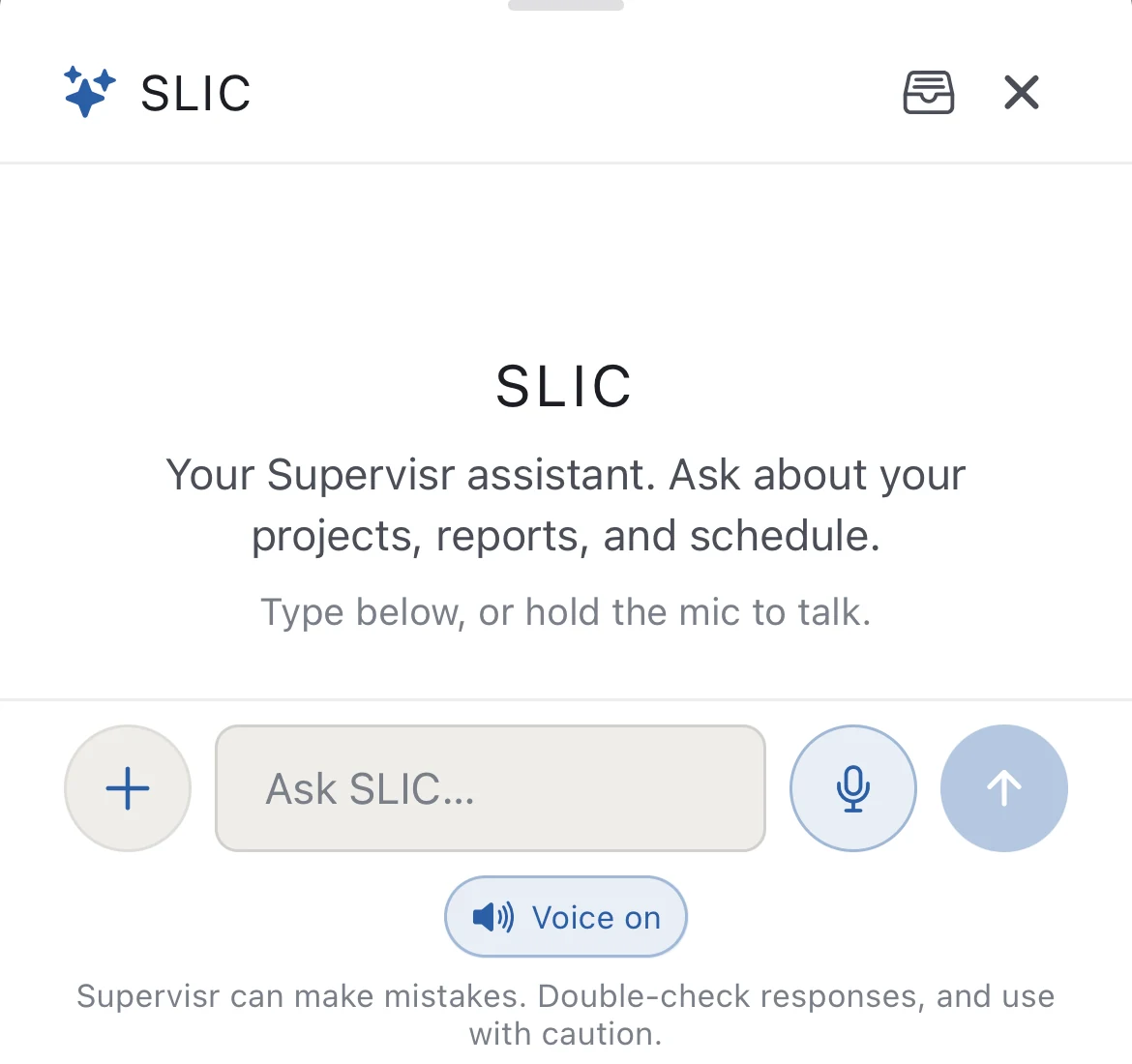 ask it · or tell it what to do
Time-lapse.
01 · IN THE CAMERA
One tap from the shutter.
Time-lapse. Interval captures on a timer, stitched into one clip. Demo to final coat in a few seconds — the most convincing thing anyone has of what actually happened on that site, assembled out of work nobody had to do twice.
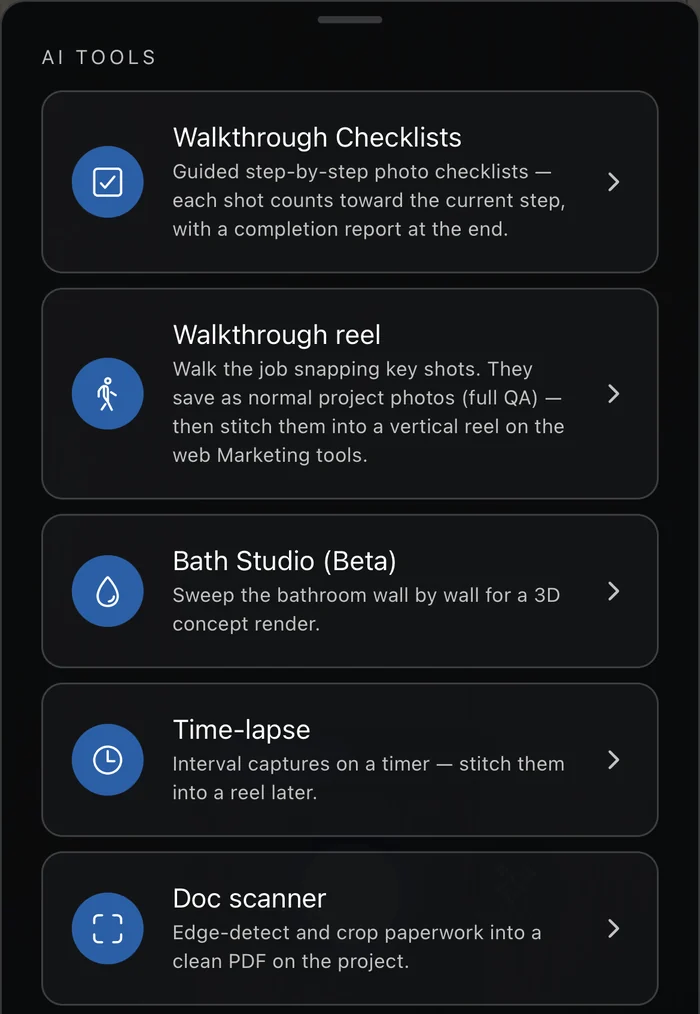 one tap from the shutter
02 · PROGRESS, VISIBLE
The picture and the paperwork tell the same story.
Milestones track what is done and what is left on the job, so nobody has to reconcile a photo album against a schedule to find out where the work actually stands.
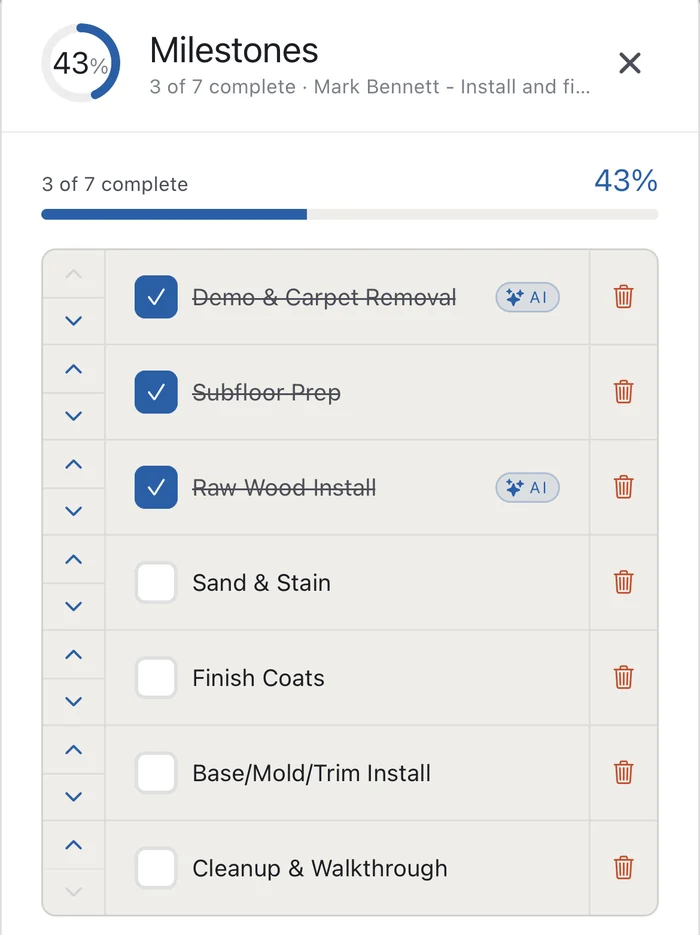 ✓ 3 of 7 done · 2 ticked by AI from photos
Both app stores.
Native apps for iPhone and Android — the camera, the flags, the projects and SLIC, in your pocket. Critical findings arrive as a push while there is still time to fix them.
01 · WHILE THERE IS STILL TIME
It tells you while the crew is still there.
A critical flag is worth a hundred times more at 9:40 in the morning than in a report on Friday. The apps push it the moment the analysis lands.
Photos go straight onto the right project as they are taken, so nothing has to be sorted out of a camera roll at the end of the week — and it is one account either way. What happens on site is already there when you sit down at a browser.
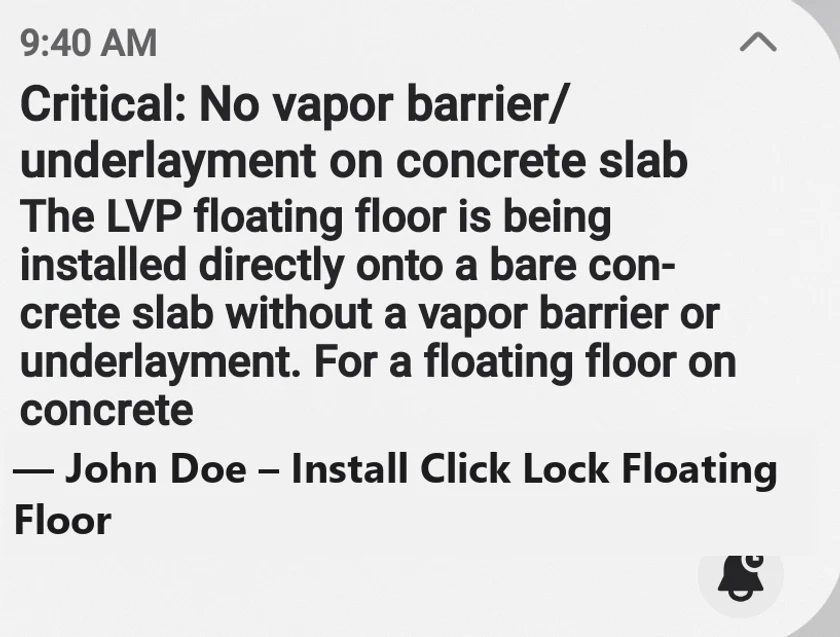 ⚑ critical · pushed on arrival
Now — which side of the job are you on?
Everything above is the same for both. What changes is what gets built on top of it — and that is where the two pages below part ways.
I build.
The whole back office: bids, scheduling, work orders, invoicing, client reports, financials and marketing, with AI that checks your crew's jobsite photos.
Features for contractors →I'm renovating.
Plain-English guides on what good work looks like, and what to check before the final payment.
How it works for homeowners →